Payroll numbers that defend themselves.
Approved hours become payable totals per member, rate, and period. No spreadsheet reconciliation, no end-of-month archaeology.
No credit card. Free plan stays free.

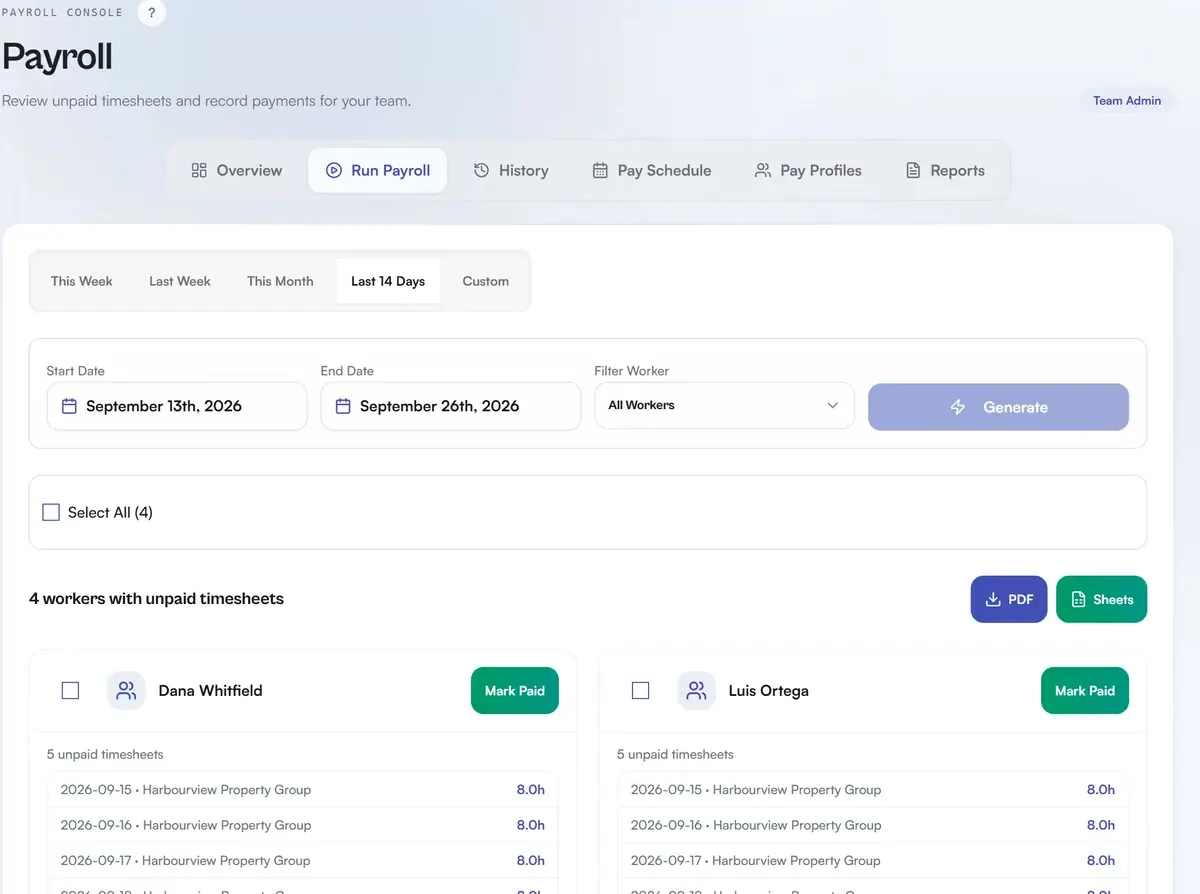
Real app, demo data
Approvals gate payroll
Nothing hits a payroll total until a manager has cleared it. The queue shows exactly what is waiting and why.
Every rate in its place
Job-type rates, travel rates, and car allowances live on the company record and apply themselves to each entry.
Billable and payable stay separate
What you pay the crew and what you charge the client are two different numbers, tracked as two different numbers.
Payroll-ready CSV exports
Export a Gusto-formatted or QuickBooks-formatted CSV for the period, per member.
How it works in practice: a worked example, one crew member, one pay period
Take one member's period. They logged 9 hours on a company whose job type pays $28/hr, plus 45 minutes of travel at a $22/hr travel rate, plus a car allowance from that company record. Here is how those numbers become a payable total:
First, the day sits in the Team Review queue. A Team Admin or Finance Manager opens the timesheet and either approves or rejects it. Only approved hours reach payroll totals.
Once approved, Daybill pulls the $28 job rate, the $22 travel rate, and the car allowance straight from the company each entry belongs to, and rolls them into the member's total for the period. Billable (what the client is charged) and payable (what the crew is paid) stay two separate numbers, so the margin is visible.
Then export a CSV formatted for Gusto or QuickBooks Time. A generic CSV is also available. Members see only their own estimate, while crew totals stay with admin and finance roles.
What operators ask before they switch.
How do approvals work?
Crew hours land in a Team Review queue. A Team Admin or manager opens the timesheet, checks the day, and approves or rejects it. Only approved hours flow into payroll totals.
How are the pay numbers computed?
Each entry carries its job-type rate, travel time and rate, and any car allowance from the company it belongs to. Payroll sums the payable side per member and period, separate from what you bill the client.
Which payroll providers does it export to?
Daybill exports payroll-ready CSVs formatted for Gusto import and for QuickBooks Time import, plus a generic CSV for anything else.
Can members see pay rates?
Rates and payroll views are role-gated. Members see their own earnings estimates; payroll totals for the crew are visible only to admin and finance roles.
Run your next week on Daybill.
Internal payroll calculations and the manager approvals workflow are included on Team Free, Daybill Team (CAD $39/mo flat, 20 users, then $1.50/user/mo) and Expert (CAD $99/mo). But the payroll-ready CSV export in Gusto and QuickBooks formats ships on every tier, including free Solo Operator (CAD $0).
See how these features connect across the field crew management platform .