Clock in at the job site.
Geofenced clock-in checks the shift location before hours start. That means fewer disputes and cleaner payroll because the hours begin at the right site.
No credit card. Free plan stays free.

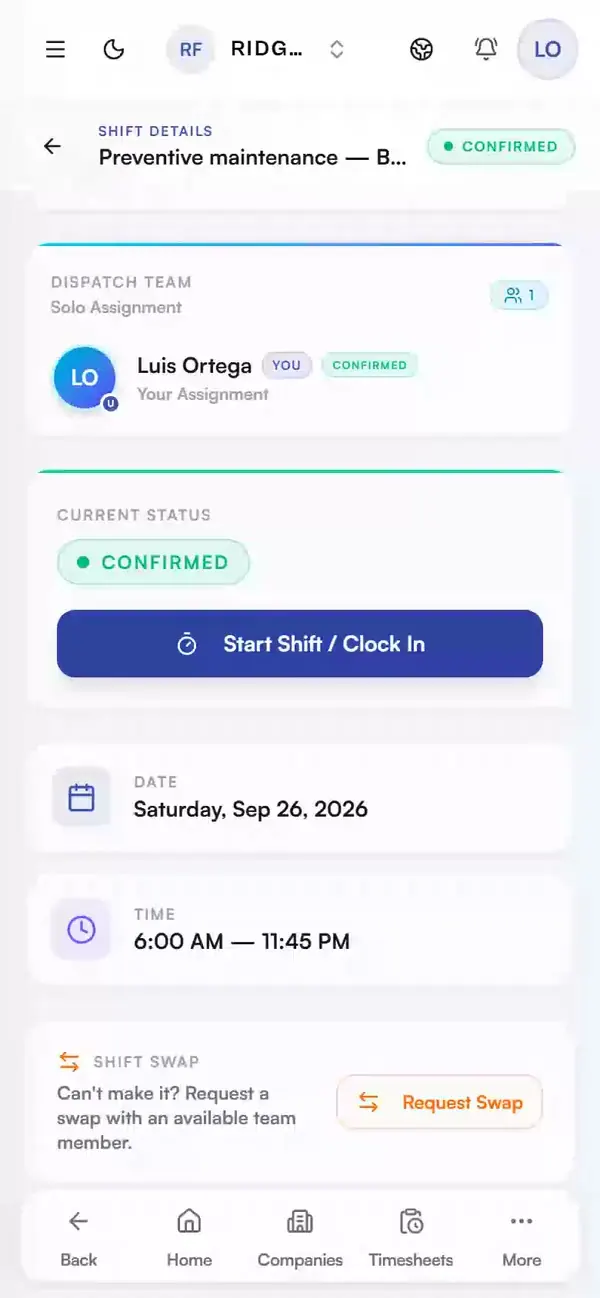
Real app, demo data
A radius, not a leash
One check at clock-in against the job site (200 m default, adjustable). Not continuous location sharing.
Blocked means told
Outside the radius? The app says so and shows the distance. Move closer, clock in, done.
Hours land on the right job
Clock-ins attach to the scheduled shift, so payroll and job costs stay tied to the site the work happened on.
Built into scheduling
Geofencing uses the shifts you already dispatch, so there is no separate time-clock app to manage.
How it works in practice: the moment a clock-in is out of range
The geofence only does one thing, and it does it at one moment. Watch that moment.
A crew member arrives for a scheduled shift and taps to clock in. Right then, not continuously, just once, Daybill checks whether the phone is inside the job site's radius. That radius is 200 metres by default and adjustable per site.
Say they're early and still at the gas station 600 m away. The clock-in is blocked. The app doesn't fail silently; it tells them exactly how far from the site they are, so they can drive the rest of the way and try again. No bad location data quietly enters the timesheet.
Once they are inside the radius, the clock-in attaches to the scheduled shift. That keeps the hours and job costs tied to the site where the work happened. It uses the same shifts you already dispatch, so the crew does not need another time-clock app.
What operators ask before they switch.
What is a geofenced time clock?
A virtual radius around the job site. When a crew member clocks in for a shift, Daybill checks that the phone is inside that radius (200 metres by default, adjustable per site) before the hours start.
Is this about watching the crew?
No. Daybill checks the location once at clock-in. It does not share the worker's location continuously. The goal is accurate pay based on hours that start at the job site.
What happens outside the radius?
The clock-in is blocked and the app shows how far the phone is from the site. The crew member can move closer and try again before the timesheet starts.
Which plan includes geofenced clock-in?
GPS geofenced clock-in is part of Expert, alongside shift checklists, weekly repeats, and AI roster suggestions. Team includes shift scheduling and dispatch without the geofence gate.
Run your next week on Daybill.
GPS geofenced clock-in is Expert-only: Daybill Expert (CAD $99/mo flat, 30 accepted seats included, then $3.00/accepted seat/mo). Expert also includes shift checklists, weekly repeats, and AI roster suggestions. Team (CAD $39/mo) includes shift scheduling and dispatch without geofenced clock-in.
See how these features connect across the field crew management platform .